
Unofficial WhatsApp automation is any tool that sends automated messages from a normal WhatsApp or WhatsApp Business app number, such as scripts that drive WhatsApp Web, outside the routes WhatsApp authorizes. WhatsApp’s Terms of Service do not allow it and let WhatsApp disable or suspend the accounts that use it.
Free planSet up in about 1 minuteInstall on Shopify(opens in a new tab)
The terms rule out “bulk messaging, auto-messaging, auto-dialing, and the like” outside the ways WhatsApp authorizes, so a number used this way can be restricted or banned. The authorized route for automated business messages is Meta’s WhatsApp Business Platform, usually called the WhatsApp Business API.
This page is for Shopify merchants deciding how to send order confirmations and updates on WhatsApp. Cartsaver is a Built for Shopify app by Xtnd that confirms cash on delivery orders on WhatsApp or SMS before you ship, then uses the same WhatsApp conversation for order updates, abandoned cart recovery, one-tap cross-sells, reviews and campaigns, through the official WhatsApp Business API.
What do Meta’s policies say about WhatsApp automation?
WhatsApp’s Terms of Service forbid bulk messaging and auto-messaging outside authorized routes and allow WhatsApp to disable or suspend accounts. The WhatsApp Business Messaging Policy lets businesses message only people who gave their number and opt-in permission, and Meta can limit or remove access for violations.
These official pages cover it. Quotes below are from the pages as published at the time of writing.
- WhatsApp Terms of Service. Under acceptable use, you may not use WhatsApp in ways that “involve sending illegal or impermissible communications such as bulk messaging, auto-messaging, auto-dialing, and the like”. If you break the terms, WhatsApp may take action on your account, including “disabling or suspending your account”. (Users in the European Region and the UK have separate terms with their own wording.)
- WhatsApp Help Center: About unofficial apps and Unauthorized use of automated or bulk messaging on WhatsApp. These are WhatsApp’s own help pages on the subject. The unofficial apps page explains that using them breaks the Terms of Service and that accounts can be temporarily or permanently banned.
- WhatsApp Business Messaging Policy. This applies to both the WhatsApp Business app and the WhatsApp Business Platform. Businesses may only message people who have given them their phone number and “opt-in permission”. Meta says it “may limit or remove your access” for violations, that its systems “may limit the amount of messages a business can send”, and that for serious violations it may “prohibit you and your organization from all future use of WhatsApp products and services”.
Read together: automation is allowed through the Business Platform, under Meta’s rules. Automating a regular account through tools WhatsApp has not authorized is not.
What counts as an unofficial WhatsApp workaround?
Any tool that automates a regular WhatsApp account instead of connecting through Meta’s Business Platform: WhatsApp Web scripts and browser extensions, “API” services that ask you to scan a QR code, modified WhatsApp apps and bulk-sender desktop tools. If a tool never mentions message templates or Meta review, it is very likely unofficial.
You will usually recognise one by how it connects to your number:
- WhatsApp Web scripts and browser extensions that log in with a QR code and send messages automatically from your linked session.
- “WhatsApp API” services that ask you to scan a QR code with your phone instead of connecting through Meta’s sign-up for the Business Platform.
- Modified WhatsApp apps that add bulk sending or auto-reply features WhatsApp does not offer.
- Bulk-sender desktop tools that cycle through a contact list on a normal account.
A simple test: if the tool never sends you through Meta to connect a WhatsApp Business account, and never mentions message templates or Meta review, it is very likely not using the official platform.
What is the real risk to your business number?
The risk is a restriction or ban that can land at any time, on the number your customers already use to ask questions and confirm deliveries. No one outside Meta can predict when, and sending a similar message to every new buyer from a regular account is exactly the pattern the terms describe.
No one outside Meta can tell you exactly when a number will be restricted, and not every number using these tools is banned at once. That uncertainty is the problem. What you can say with confidence:
- Enforcement can land at any time. The terms allow WhatsApp to disable or suspend an account, and WhatsApp’s Help Center describes temporary and permanent bans for unofficial apps.
- The cost falls on your main number. For many COD stores in Egypt, the Gulf and South Asia, the WhatsApp number is where customers ask questions, send location pins and confirm deliveries. Losing it, even for a while, cuts that line.
- Order-confirmation volume looks like automation. Sending a similar message to every new buyer, many times a day, from a regular account is exactly the pattern the terms describe.
- Message bursts with no opt-in hurt you on any route. Even on the official platform, Meta’s policy requires opt-in, and its systems can limit how many messages a business sends.
How the official WhatsApp Business API works
The WhatsApp Business Platform is Meta’s product for businesses that need to send messages from software. Compared with workarounds:
| Unofficial automation (WhatsApp Web scripts and similar) | Official WhatsApp Business API | |
|---|---|---|
| Allowed by WhatsApp’s terms | No: automated or bulk messaging outside authorized routes | Yes, under the Business Messaging Policy |
| How the number connects | QR code login to a phone or browser session | Meta’s sign-up for a WhatsApp Business account |
| Business-initiated messages | Free text sent as if typed by hand | Message templates reviewed by Meta |
| Buttons such as Confirm and Cancel | Not an official feature | Supported in templates |
| Sending volume | Unknown until the account is restricted | Published messaging limits that grow with good quality |
| If something goes wrong | Ban or restriction of the number | Limits, quality signals and an appeals process |
Meta’s messaging limits documentation explains the volume rules: a limit is the number of unique people a business can message outside a customer service window in a rolling 24 hours, set at the business portfolio level. New portfolios start at 250 and can grow to 2,000, then 10,000, 100,000 or unlimited as long as message quality stays high.
Does Cartsaver use a QR code or WhatsApp Web?
No. Cartsaver sends through Meta’s official WhatsApp Business API, so there is no QR code to scan, no WhatsApp Web session and no phone that has to stay online. Nothing disconnects when you log out of WhatsApp on your phone or computer, because no device session is involved.
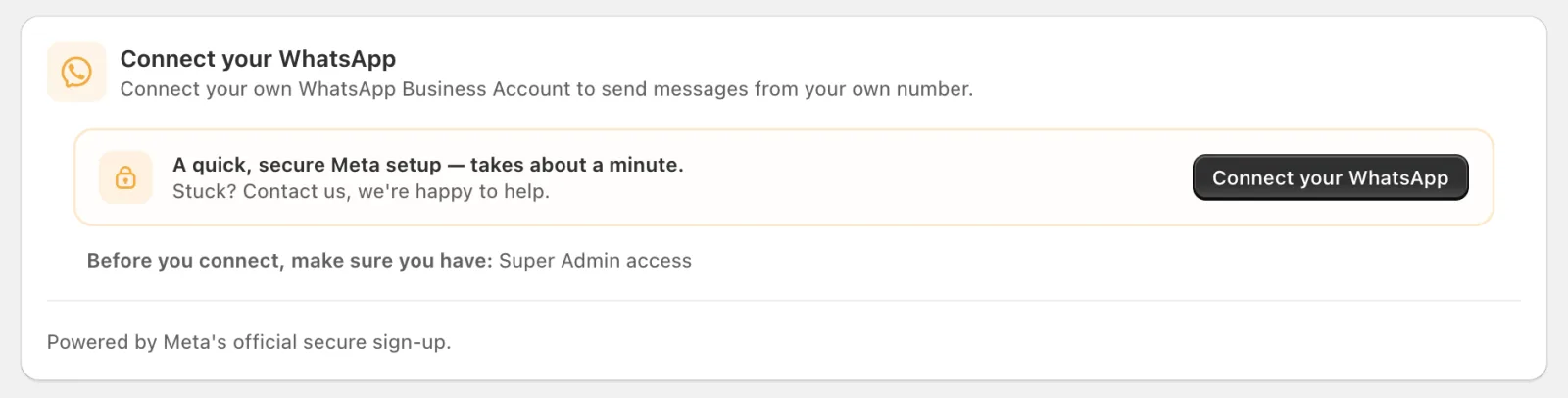
To start, messages go out from Cartsaver’s own official sender. If you connect your own number (Scale, Ultra and Elite), you do it once through Meta’s own sign-up window, which links your WhatsApp Business account to Cartsaver on Meta’s platform instead of pairing a device.
How Cartsaver sends WhatsApp messages
- Official platform only. Cartsaver sends through Meta’s WhatsApp Business API. It never logs into WhatsApp Web or your phone.
- A sender that works from day one. On every plan, messages can go out from Cartsaver’s official sender, so you do not have to set up a Meta account to start.
- Your own number on Scale, Ultra and Elite. Connect your WhatsApp Business account through Meta’s own sign-up and send from your number. See the sender ID guide.
- A backup if your Meta balance is unpaid. If Meta rejects your own number’s messages because of an unpaid Meta balance, order confirmations and notifications go out from Cartsaver’s default sender until you pay it and reactivate your number; campaigns stop until then. This backup does not cover a number Meta restricts for quality or policy reasons.
- Templates reviewed by Meta. Order confirmations use template messages with buttons, which is what makes one-tap WhatsApp order confirmation possible. Text you add yourself, such as the Additional info line (up to 400 characters), is reviewed before use.
- Messages customers expect. Confirmations and order updates go to buyers who just gave you their number at checkout, in their checkout language or in the English or Arabic you choose.
For the channel choice in detail, see Choose a verification channel in the Cartsaver docs.
A worked example
A cosmetics store in Alexandria has been sending order confirmations from a browser extension linked to its main WhatsApp number. Orders grow to a few hundred a day and the owner worries about the number. They install Cartsaver, start on the default official sender, and switch the browser tool off. Customers now get a confirmation with Confirm and Cancel buttons, and the store’s main number goes back to being used by hand for customer chats. When the store moves to the Scale plan, it connects its own WhatsApp Business number through Meta’s sign-up so messages carry its own number.
Migrating safely from an unofficial tool
- Stop the unofficial tool first, so both systems do not message the same customers.
- Decide whether to start on Cartsaver’s default sender or connect your own number (Scale plan and up; see the pricing table).
- Before you connect your own number, check Meta’s sign-up screens for how that number will work with the WhatsApp Business app on your phone, and decide which number your team keeps for manual chats.
- Message only customers who gave you their number, and keep marketing separate from order messages.
Start on Cartsaver’s official sender from the Shopify App Store. The Free plan needs no credit card.
Frequently asked questions
Will WhatsApp ban my number for using a WhatsApp Web automation tool?
It might, and you cannot predict when. WhatsApp’s terms do not allow auto-messaging and bulk messaging outside authorized routes, and they allow WhatsApp to disable or suspend accounts. WhatsApp’s Help Center describes temporary and permanent bans for unofficial apps.
Is the WhatsApp Business app the same as the WhatsApp Business API?
No. The WhatsApp Business app is for people chatting by hand on a phone. The WhatsApp Business Platform (API) is for software sending messages, with templates, messaging limits and Meta’s review. Both are covered by the WhatsApp Business Messaging Policy.
Can my WhatsApp number be banned with Cartsaver?
Yes, it can be restricted, and no app can honestly promise otherwise. The official WhatsApp Business API avoids the ban risk of unauthorized automation, but Meta still rates every business number. If many customers block or report your messages, the number’s quality rating drops and Meta can lower its messaging limit or pause it, and for serious or repeated policy violations, for example messaging people without opt-in, Meta can limit or remove access altogether. The difference is that the rules are published and order confirmations to recent buyers are the kind of message the platform is built for.
What lowers the risk: message only customers who gave you their number, keep marketing separate from order messages, and send campaigns customers expect. What Cartsaver does:
- Until you connect your own number, messages go out from Cartsaver’s official sender, not from your number.
- Order confirmations and campaigns are message templates reviewed by Meta.
- Every campaign ends with “Reply STOP to unsubscribe”, and customers who reply STOP are left out of your next campaigns.
- Before and during each campaign, Cartsaver checks your number’s quality rating with Meta and stops the campaign if it is yellow or red.
- Campaigns use at most 75% of your daily Meta messaging limit, leaving the rest for order messages.
- If Meta rejects your number’s messages because of an unpaid Meta balance, order confirmations and notifications switch to Cartsaver’s default sender until you fix it and reactivate your number.
Do I need my own WhatsApp Business account to use Cartsaver?
No. You can start with Cartsaver’s official sender on any plan. Sending from your own number is available on the Scale plan and up.